
Manage Comics 3.0 is Finally Here
Pull lists, ordering and check-in in one place, built for the way a comic shop actually runs its week. Customers keep their own lists up to date, your order fills itself in before the cutoff, and check-in sorts every copy into the right box. We set it up with you and bring your customers over.

All of The Tools. None of the Complexity.
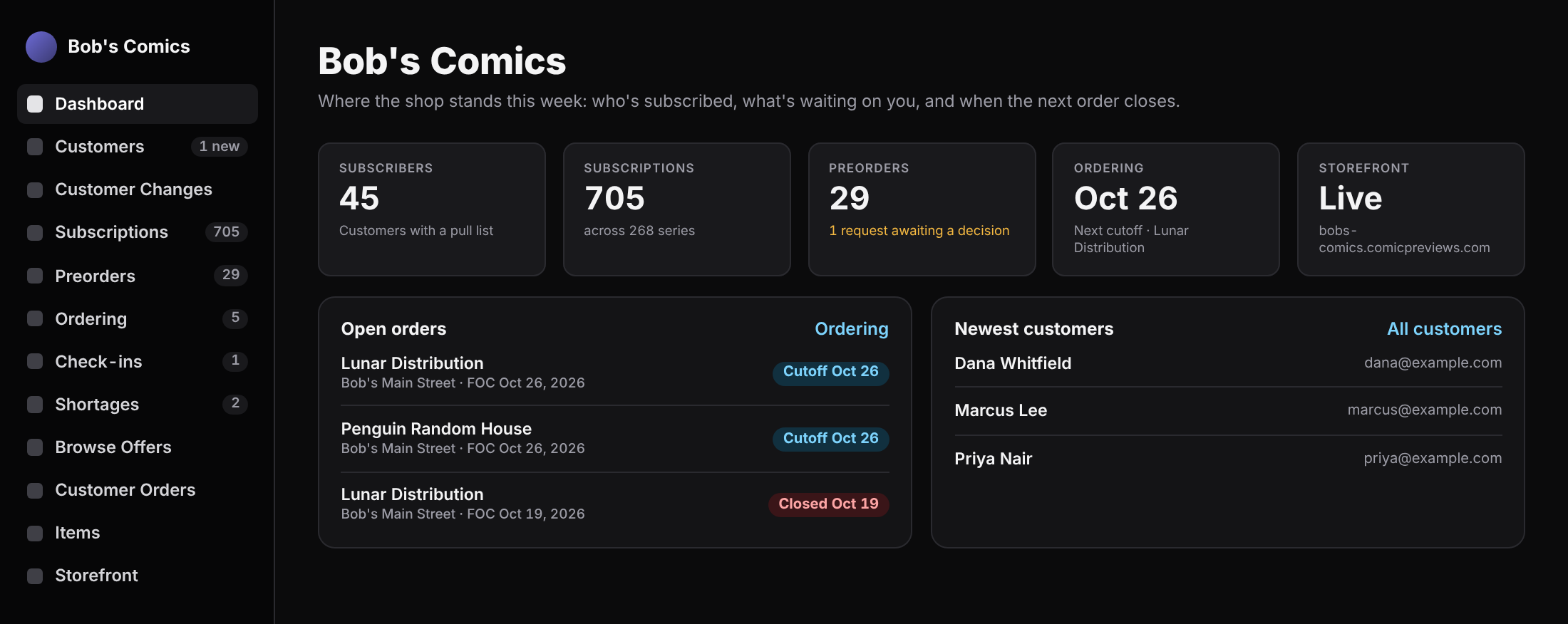
MC 3.0 Makes Your Week Stress Free!
Order before the cutoff and check in when the boxes arrive. Your customers' copies are already counted.
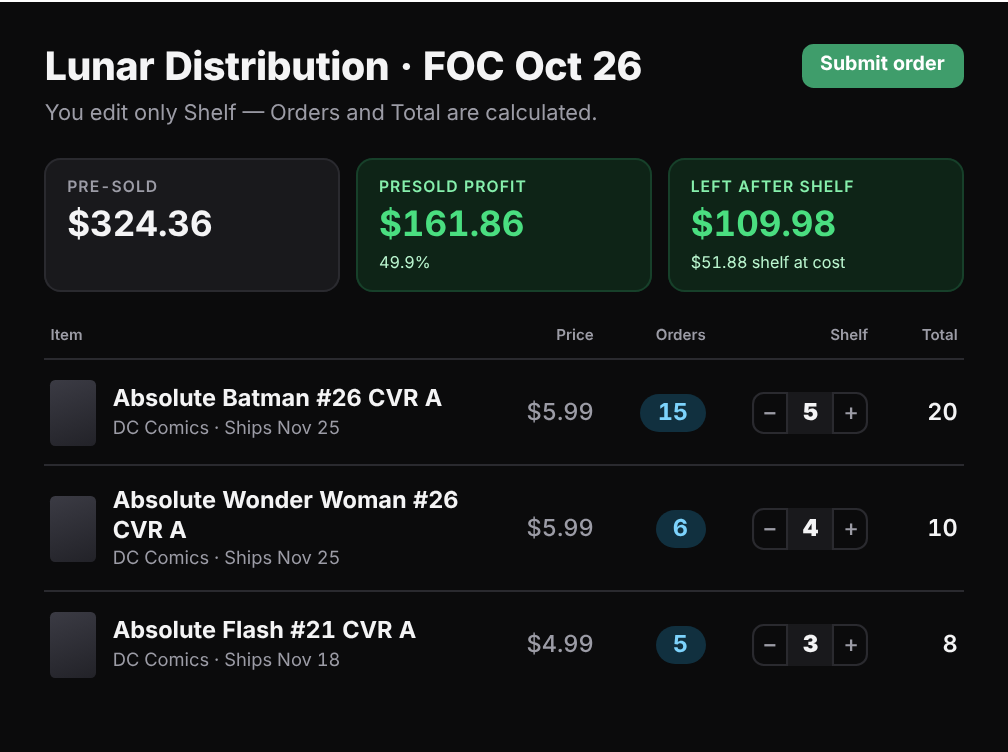
Ordering
- Open this week's cutoff and the order fills in.
- Orders already holds your customers' copies. Type your Shelf copies.
- Click Submit order, then upload the file at Lunar or paste the list at PRH.
"You edit only Shelf — Orders and Total are calculated."The ordering screen's own words
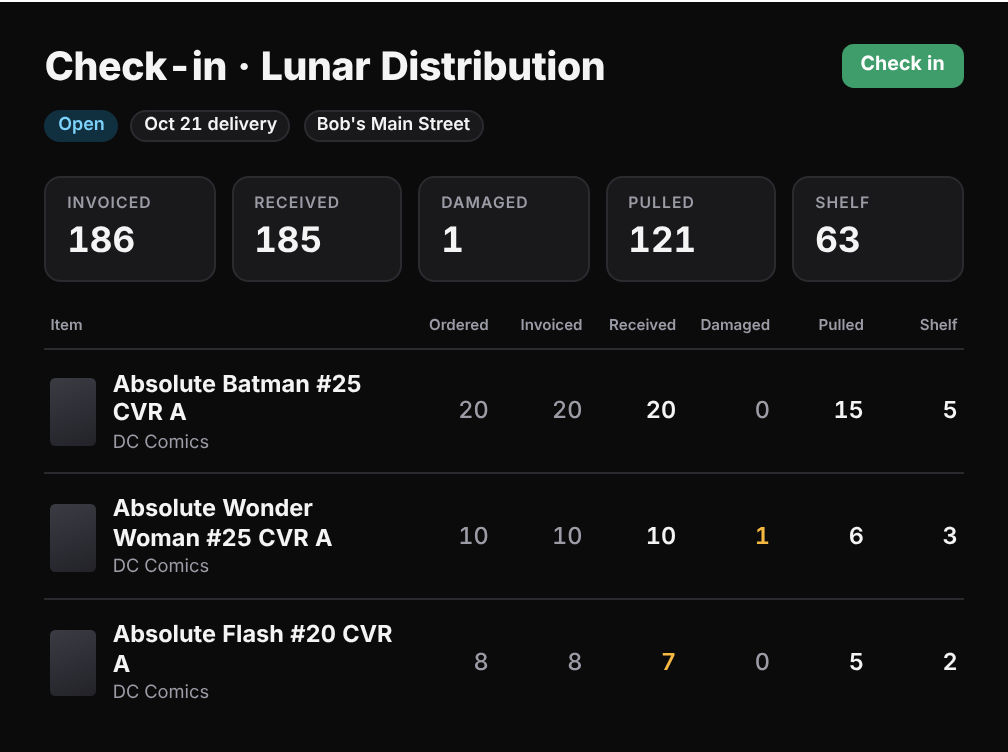
Check-in
- Drop the invoice files on the check-in.
- Count the boxes and mark anything damaged.
- Click Check in. Customers' copies go to their boxes and the rest goes to the shelf.
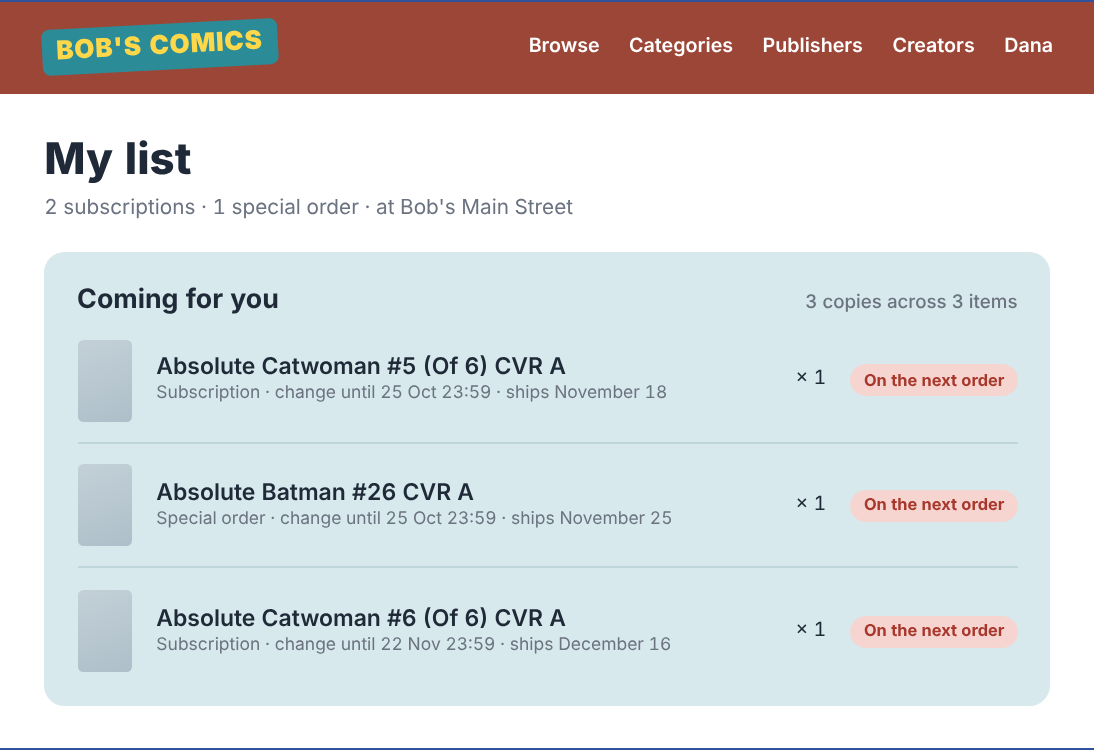
A Storefront for Every Shop!
Every shop on 3.0 gets one.
- Your shop's own site at your-shop.comicpreviews.com
- Customers subscribe, change their copies and set a last issue themselves
- A cutoff you choose, so lists lock before your order goes in
- New sign-ups wait for your OK
- "In store for you" tells customers what's waiting in their box
At the counter
- Add to a customer's list by title, code or barcode scan
- See who changed a pull list, and when
- Set copies, cover, a start issue and a last issue
- Pull box numbers, and notes that print on the pull sheet
- Merge duplicate customers
Ordering
- One grid for initial orders and FOC
- Your customers' copies counted for you
- What's pre-sold, against what the order costs
- Ratio variants listed under the cover that earns them
- Comics from one distributor and books from another, by publisher
- An upload file for Lunar and a paste list for PRH
Check-in
- Lunar, PRH and Universal invoices, several at once
- Pull sheets by name, customer number or title
- Shortages: who's still owed a copy, and what a distributor shorted you
- Damaged copies counted and kept out of boxes
- A plain list when there's no invoice file
- Your own items too: back issues, a local zine, dice
Customer orders and invoices
- Hand over and invoice in one click
- One open order for each customer, for pickup or shipping
- Packing slips and ship dates for mail-order customers
- Subscriber discounts by tier, or a customer's own rate
- Taxes by region, and Canada's rates load in one click
Your shop
- We bring your customers and their subscriptions over for you
- More than one location, each with its own distributors and settings
- Prices in US and Canadian dollars, and a price you set by hand stays
- A file for Retail Management Hero on every check-in
- Sign in with an email link, no password
You Can Get Started Today!
Our Customer Success Sidekick, Max, will walk you through the entire process. Don't worry, we'll get you set up in no time!
Step 1
Tell us about your shop
A short form: what you use today, your till, your distributors and when you want to be running.
Step 2
We bring your customers over
Send the export from your old system. You see everything before it's written.
Step 3
One kickoff call
We set up your location, taxes and storefront with you and walk your first order and check-in. A follow-up call comes after your first week.